 Open app
Start with the essentials
Set up your first event layout, review the details and prepare a proposal for your client.
Before you begin
Make sure you can sign in to the correct workspace and that your space is ready to use. Have an event brief to hand, including the room configuration, expected guest count and preferred setup.
Your workspace administrator can confirm your access, available spaces and remaining project capacity.
How Micely is organised
A space is the 3D model of your venue or a specific room configuration. A project is the event layout you create within that space.
A template is a reusable starting layout. A package contains the venue offering and pricing details used for an event. A proposal brings the layout and event information together for your client.
Create your first project
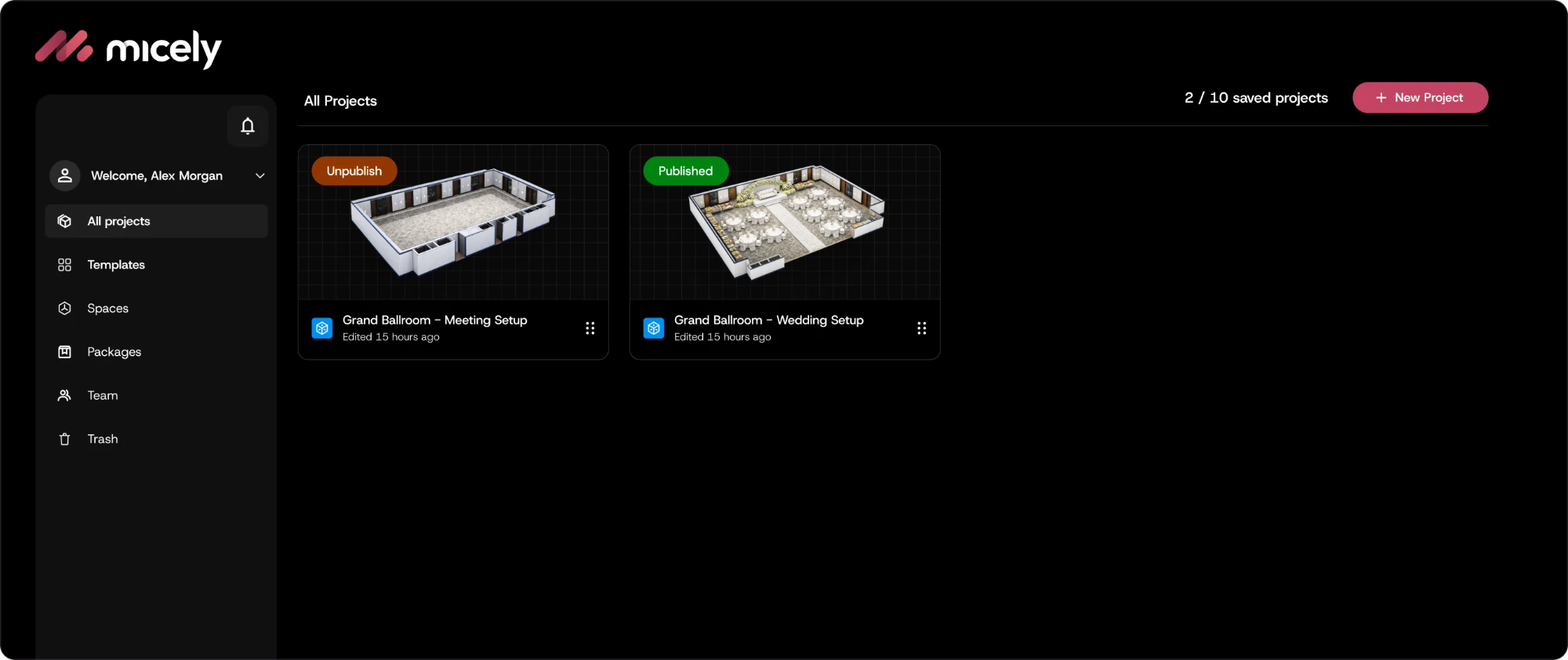
- 1. Open All Projects and select New Project.
- 2. Choose the space and room configuration for your event.
- 3. Give the project a name your team will recognise.
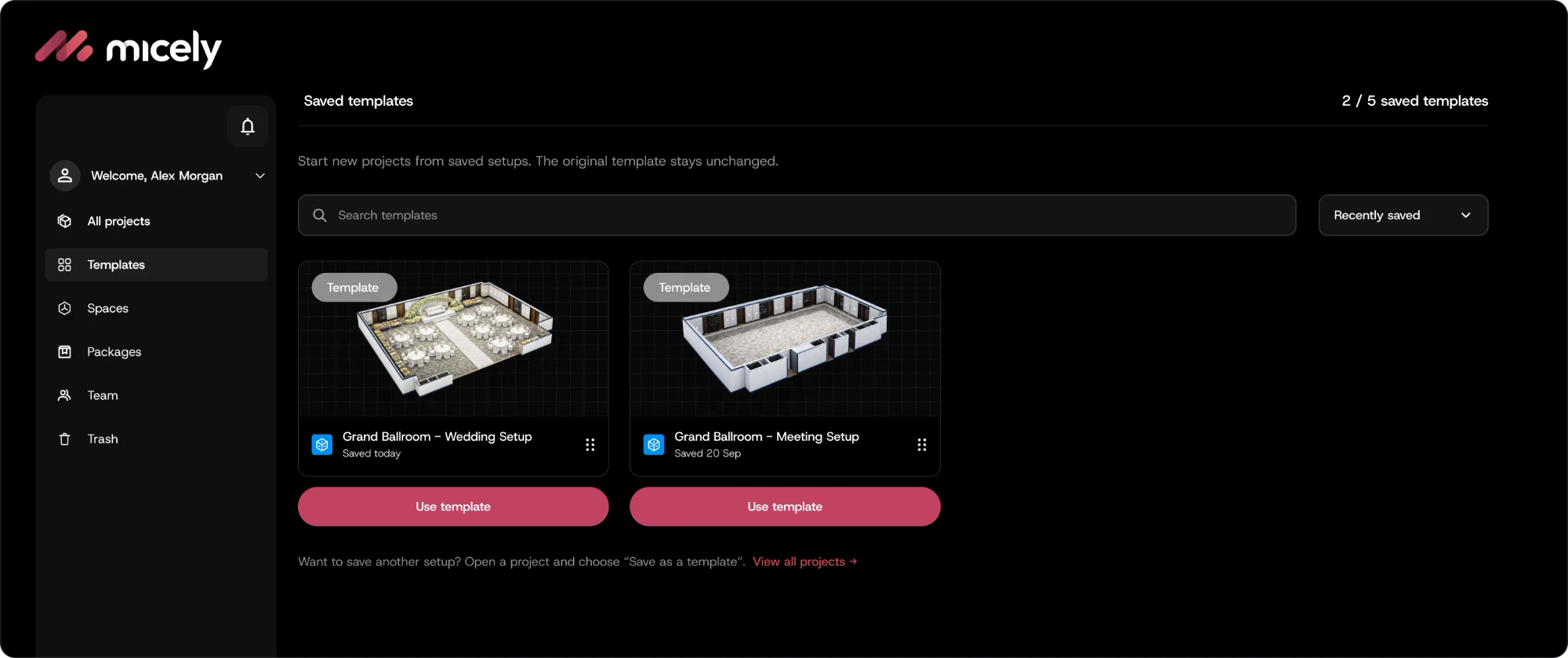
If a suitable layout already exists, open Templates and select Use template. This gives you a starting point while keeping the saved template unchanged.
Arrange the space
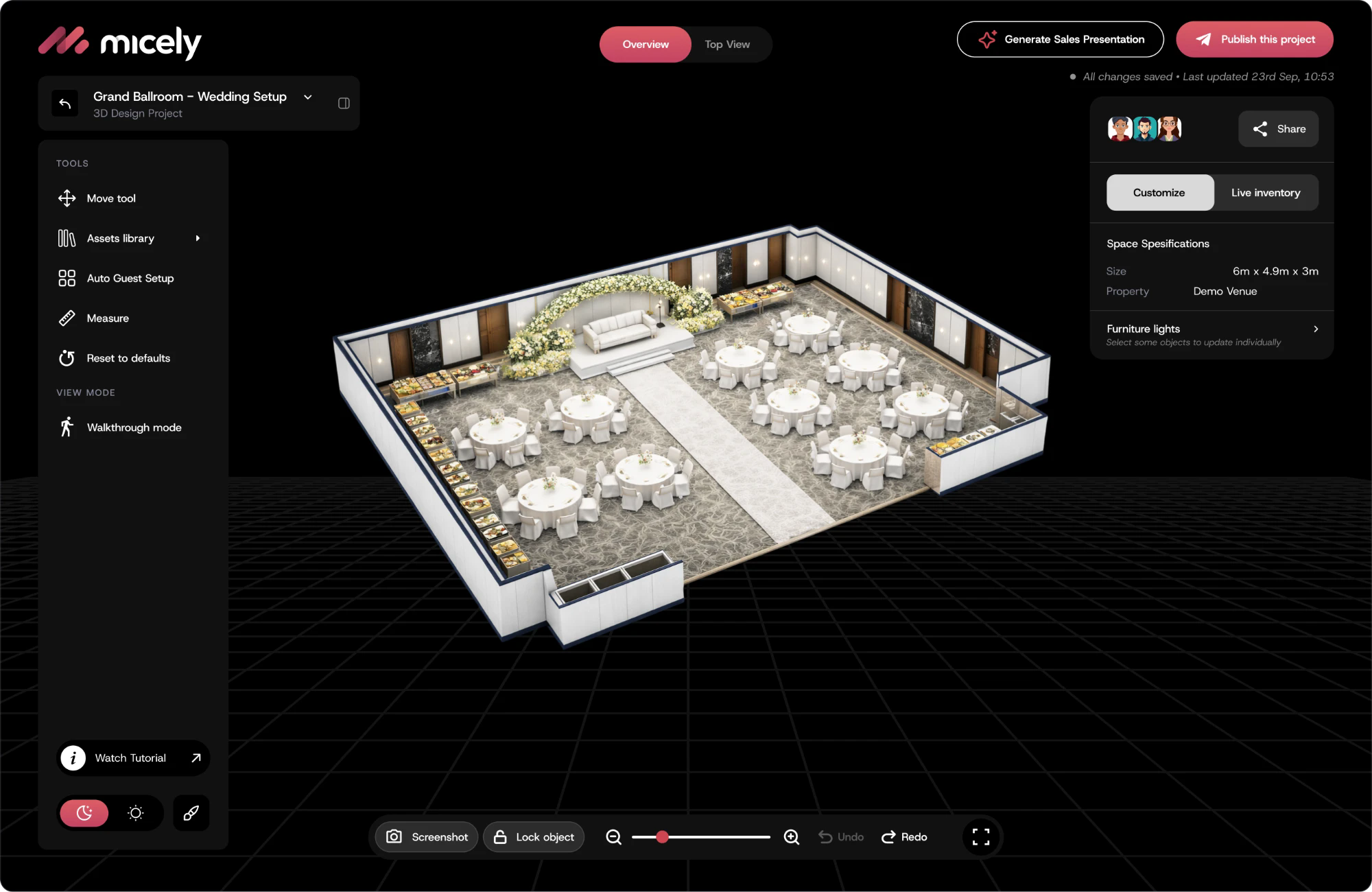
Use the assets library to add furniture and event items, then position them to suit the brief. Use Top View to check the arrangement and Walkthrough mode to review the space from a guest’s perspective.
Review entrances, circulation routes and key sightlines with your venue team. The 3D layout supports planning; the venue must confirm the physical setup and operational requirements.
Review and save your work
Check the room configuration, furniture quantities and event details before saving. Make sure package inclusions and pricing reflect the event you intend to present.
Return to All Projects to find your saved work. Use clear project names so your team can distinguish different clients, dates and layouts.
Prepare a proposal
When the layout is ready, select Generate Sales Presentation. Review the generated content, including the venue details, layout, quantities and pricing, before sharing it with a client.
A newly and successfully generated proposal uses one proposal allowance. Editing an existing proposal or a failed generation does not count. Duplicating or regenerating content counts when it creates a new proposal instance.
Reuse a layout as a template
For an arrangement your team will use again, select Save as a template. Give it a descriptive name, such as “Grand Ballroom · Meeting Setup”.
When starting another event, open Templates and select Use template. Review the space, guest count and event details for the new project.
Looking for a specific answer? Browse the guides for venues, proposals or plans.